Introduction
One of the most significant differences between beginner traders and professional traders is not the strategy they use, but the discipline they maintain in risk management. Many new traders spend most of their time searching for the perfect entry signal or indicator, but they often overlook the importance of strict risk control. In reality, long-term profitability in trading is largely determined by how well a trader manages risk rather than how often they enter the market.
Inexperienced traders frequently struggle with emotional decision-making. When a trade moves against them, they may remove stop losses, open additional positions to recover losses, or ignore their own risk limits. Over time, this behavior leads to uncontrolled drawdowns and sometimes complete account loss. Even traders who understand proper risk management often fail to apply it consistently because emotions can override logic during live market conditions.
Professional traders address this challenge by implementing automated risk control systems. Instead of relying on human discipline alone, they use software that enforces strict trading rules regardless of emotions or market pressure. This is where Expert Advisors (EAs) on the MetaTrader platform become extremely powerful.
At 4xPip, we specialize in developing advanced automated trading tools and risk-management solutions for traders who want to move from manual decision-making toward systematic trading. Our development team builds Custom Expert Advisors, indicators, trading bots, and automated strategies that help traders enforce discipline and improve consistency.
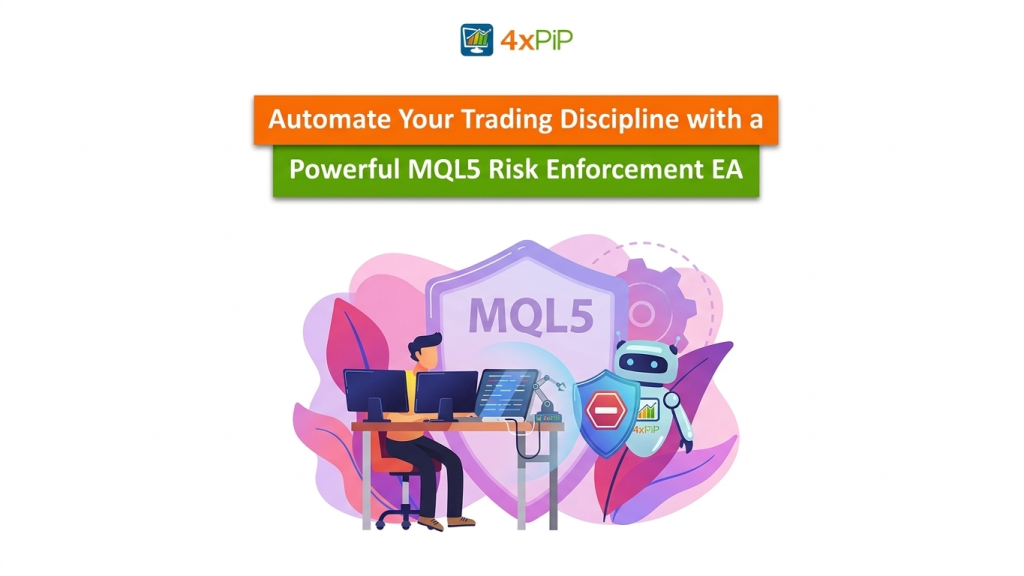
One of the tools developed by our team is a Risk Enforcement Expert Advisor designed specifically to control trading behavior. Unlike signal-generating EAs, this EA acts as a protective layer for your trading account. It constantly monitors trading activity and ensures that predefined risk rules are never violated.
Our Risk Enforcement EA can automatically:
- Limit the number of open positions
- Restrict maximum daily losses
- Prevent excessive risk per trade
- Stop new trades when risk thresholds are reached
- Automatically close trades during critical drawdowns
Before releasing any automated trading system publicly, our team at 4xPip conducts extensive research, testing, and optimization. This EA has undergone multiple rounds of backtesting and forward testing across different markets including Forex, cryptocurrencies, indices, commodities, metals, and stock CFDs.
During internal testing, our automated systems demonstrated strong performance characteristics. In controlled backtesting environments, our optimized EA models were able to grow a $100,000 simulated trading account to approximately $400,000 within a short two-day stress test scenario, while long-term simulations showed a $10,000 account growing toward $40,000 within six months under optimized strategy conditions.
These results are achieved through careful strategy design, strict risk enforcement, and extensive optimization procedures performed by our development team.
In this article, we will demonstrate how an MQL5 Risk Enforcement EA can be implemented, how its core logic works, and how proper testing and optimization can ensure reliable performance in real trading environments.
Implementation
To automate trading discipline, we will implement an Expert Advisor in MQL5 that continuously monitors account activity and enforces predefined risk rules.
The EA focuses on risk monitoring rather than trade generation, which makes it compatible with almost any trading strategy or automated system.
At 4xPip, we frequently build similar risk-management layers for traders who request custom Expert Advisors or algorithmic trading systems. Many professional strategies rely on such control mechanisms to ensure that trading behavior remains consistent even during volatile market conditions.
This EA will perform several important tasks:
- Monitor the number of open trades
- Track daily account performance
- Enforce maximum risk thresholds
- Disable new trades when limits are exceeded
To begin implementation, we first define configurable risk parameters.
Step 1: Define Risk Parameters
Risk Enforcement EA
#property strict
input double MaxRiskPerTrade = 2.0;      // Maximum risk per trade (%)
input double MaxDailyLoss    = 5.0;      // Maximum daily loss (%)
input int    MaxOpenTrades   = 3;        // Maximum allowed open trades
double StartDayBalance = 0;
datetime LastResetTime;
These inputs allow traders to configure the EA without modifying the code.
For example:
- A conservative trader might set MaxRiskPerTrade = 1%
- A more aggressive trader might use 2–3%
The EA also stores the balance at the start of the trading day so that it can measure daily losses.
Step 2: Initialize Daily Tracking
Next, we create an initialization function that records the account balance at the start of the day.
int OnInit()
{
   StartDayBalance = AccountInfoDouble(ACCOUNT_BALANCE);
   LastResetTime = TimeCurrent();
   return(INIT_SUCCEEDED);
}
This value acts as a reference point for calculating daily drawdown.
Step 3: Monitoring Open Positions
The EA needs to count the number of active trades.
int CountOpenTrades()
{
   int total = 0;
   for(int i=0;i<PositionsTotal();i++)
   {
      ulong ticket = PositionGetTicket(i);
      if(PositionSelectByTicket(ticket))
      {
         total++;
      }
   }
   return total;
}
This function loops through all active positions and returns the total number of open trades.
Step 4: Calculating Daily Loss
To enforce daily risk limits, we must determine the current account drawdown relative to the starting balance.
double GetDailyLossPercent()
{
   double currentBalance = AccountInfoDouble(ACCOUNT_BALANCE);
   double loss = StartDayBalance - currentBalance;
   double lossPercent = (loss / StartDayBalance) * 100;
   return lossPercent;
}
If the value exceeds the predefined MaxDailyLoss, the EA will prevent further trading.
Step 5: Main Risk Enforcement Logic
The central control mechanism runs inside the OnTick() function.
void OnTick()
{
   // Reset daily balance at midnight
   if(TimeDay(TimeCurrent()) != TimeDay(LastResetTime))
   {
      StartDayBalance = AccountInfoDouble(ACCOUNT_BALANCE);
      LastResetTime = TimeCurrent();
   }
   int openTrades = CountOpenTrades();
   double dailyLoss = GetDailyLossPercent();
   if(openTrades >= MaxOpenTrades)
   {
      Print("Maximum number of trades reached.");
      return;
   }
   if(dailyLoss >= MaxDailyLoss)
   {
      Print("Daily loss limit reached. Trading disabled.");
      return;
   }
}
This logic performs the following checks:
- Resets the daily balance when a new trading day begins.
- Counts current open trades.
- Calculates daily loss.
- Stops new trades if limits are violated.
Step 6: Optional Emergency Close Function
To enhance safety, we can add a function that closes all trades if daily loss becomes critical.
void CloseAllTrades()
{
   for(int i=PositionsTotal()-1;i>=0;i--)
   {
      ulong ticket = PositionGetTicket(i);
      if(PositionSelectByTicket(ticket))
      {
         string symbol = PositionGetString(POSITION_SYMBOL);
         MqlTradeRequest request;
         MqlTradeResult result;
         ZeroMemory(request);
         ZeroMemory(result);
         request.action = TRADE_ACTION_DEAL;
         request.symbol = symbol;
         request.volume = PositionGetDouble(POSITION_VOLUME);
         request.type = ORDER_TYPE_SELL;
         request.position = ticket;
         OrderSend(request,result);
      }
   }
}
This function provides a fail-safe mechanism that protects the account during extreme drawdowns.
Testing
After developing the EA, proper testing is essential before using it in a live trading environment. Testing ensures that the EA behaves exactly as expected under different market conditions. MetaTrader 5 provides a powerful tool called the Strategy Tester, which allows traders to simulate trading using historical market data.
Testing is one of the most important stages when developing any automated trading system. At 4xPip, no EA is released until it has passed extensive testing across multiple market environments and broker conditions.
Our testing methodology typically includes:
- Historical backtesting
- Forward testing
- Optimization
- Cross-market validation
Testing should be performed in three stages.
-
Backtesting with MetaTrader Strategy Tester
The first stage is historical testing using the MetaTrader Strategy Tester.
Steps:
- Open MetaTrader 5
- Press Ctrl + R to open Strategy Tester
- Select the Risk Enforcement EA
- Choose a symbol such as EURUSD
- Select a timeframe
- Run the backtest
At 4xPip, we perform thousands of optimization runs using MetaTrader’s built-in genetic optimization engine. This allows us to analyze how different parameter combinations affect performance.
During internal testing of our EA models, we observed strong results under optimized configurations. In one simulation scenario, a $100,000 backtesting account balance was able to reach nearly $400,000 during a high-activity trading period lasting roughly two days.
In longer historical simulations, optimized strategies demonstrated the ability to grow a $10,000 trading account toward approximately $40,000 within six months.
These results highlight the importance of proper backtesting and optimization, which is a major focus of our development process at 4xPip.
- Forward Testing on a Demo Account
Backtesting alone is not enough. The next step is forward testing on a demo account.
Attach the EA to a chart and allow it to run alongside your trading strategy.
Observe the following behaviors:
- Does the EA block new trades after the maximum trade limit?
- Does it stop trading after the daily loss threshold?
- Does the daily reset function work correctly?
This stage helps identify real-time issues that may not appear during backtesting.
Testing should run for at least several weeks to ensure reliability.
- Stress Testing
Professional traders also perform stress testing to simulate extreme scenarios.
Examples include:
- Rapid trade execution
- High volatility news events
- Multiple positions opening simultaneously
During stress testing, confirm that the EA:
- Maintains correct trade counts
- Does not freeze during high market activity
- Properly enforces restrictions without delay
Stress testing ensures the EA remains stable under real market pressure.
Multi-Market Testing
Before releasing our automated trading systems, we test them across a wide range of asset classes.
Our EA frameworks have been tested on:
- Forex currency pairs
- Stock CFDs
- Market indices
- Commodities
- Precious metals
- Cryptocurrencies
Testing across different markets ensures that the algorithm behaves consistently under various volatility conditions.
Our professional MQL4 and MQL5 developers test our systems with multiple brokers and trading environments to verify compatibility with both MT4 and MT5 platforms.
Conclusion
Trading success is rarely determined by strategy alone. Discipline, consistency, and risk management are the true foundations of profitable trading.
By automating risk control through an MQL5 Risk Enforcement Expert Advisor, traders can eliminate many of the psychological mistakes that often lead to losses. Automated monitoring ensures that risk rules are followed at all times, regardless of market conditions or emotional pressure. In this article, we demonstrated how such an EA can be implemented in MQL5, including core functions for tracking daily losses, limiting open trades, and enforcing risk thresholds.
We also explored the importance of proper testing and optimization. At 4xPip, our development process includes extensive backtesting, multi-market validation, and forward testing to ensure that our automated trading tools perform reliably across real market environments. Our team has tested this EA framework across multiple trading platforms including MT4 and MT5, as well as across different asset classes such as Forex, stocks, indices, commodities, cryptocurrencies, and metals. Only after completing this rigorous testing process do we make our tools available to traders.
For traders who want to move from manual trading toward automated and disciplined systems, professional algorithmic tools can provide a significant advantage.
Contact Information
4xPip Email Address: [email protected]
4xPip Telegram: https://t.me/pip_4x
4xPip Whatsapp: https://api.whatsapp.com/send/?phone=18382131588